
phys-npps-members-l AT lists.bnl.gov
Subject: ALL NPPS Members
List archive
Re: [[Phys-npps-members-l] ] Browser-based OTP authenticator for all OS
- From: pinkenburg <pinkenburg AT bnl.gov>
- To: phys-npps-members-l AT lists.bnl.gov
- Subject: Re: [[Phys-npps-members-l] ] Browser-based OTP authenticator for all OS
- Date: Wed, 4 Feb 2026 11:42:53 -0500
Hi Shuwei,
he used cut and paste. He uses Chrome, we didn't try another browser.
Chris
On 2/4/2026 11:23 AM, Ye, Shuwei wrote:
Hi Chris,
Did your students enter the displayed OTP code? A handy feature is that they no longer need to read and type it — they can simply click the code to copy it to the system clipboard.
Cheers,
--Shuwei
From:
phys-npps-members-l-request AT lists.bnl.gov
<phys-npps-members-l-request AT lists.bnl.gov> on behalf of
Pinkenburg, Christopher <pinkenbu AT bnl.gov>
Sent: Wednesday, February 4, 2026 10:53 AM
To: phys-npps-members-l AT lists.bnl.gov <phys-npps-members-l AT lists.bnl.gov>
Subject: Re: [[Phys-npps-members-l] ] Browser-based OTP authenticator for all OS
Sent: Wednesday, February 4, 2026 10:53 AM
To: phys-npps-members-l AT lists.bnl.gov <phys-npps-members-l AT lists.bnl.gov>
Subject: Re: [[Phys-npps-members-l] ] Browser-based OTP authenticator for all OS
this is actually advertised on the nx setup page of sdcc
(which gives this some legitimacy)
One problem my students encountered was running this on a Mac. There was some delay and the authentication came too late most of the time when trying to connect to nx. We found this by sitting together with Saroj checking on the server side (there is no feedback on the client side, it just doesn't let you connect)
But it does work great on my windows laptop - I haven't used my phone ever since (okay - for duo I still need it...)
Chris
One problem my students encountered was running this on a Mac. There was some delay and the authentication came too late most of the time when trying to connect to nx. We found this by sitting together with Saroj checking on the server side (there is no feedback on the client side, it just doesn't let you connect)
But it does work great on my windows laptop - I haven't used my phone ever since (okay - for duo I still need it...)
Chris
On 2/4/2026 10:44 AM, Ye, Shuwei
wrote:
Dear all,
Zhaoyu asked about OTP alternatives to phone apps. I came across a handy browser-based OTP authenticator and thought you might find it useful — I may have shared it with some of you previously.
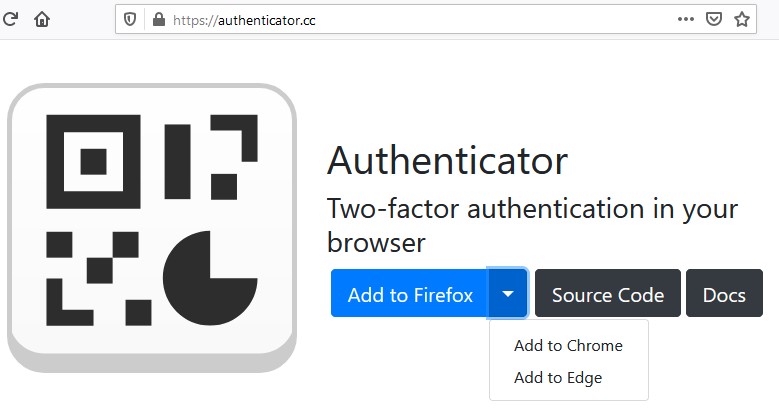
The browser-based authenticator https://authenticator.cc works on all major OSs, including Linux. Browser extensions are available for Firefox, Chrome and Edge. A handy feature is that it can display the saved QR image for a token, which makes it easy to add the same OTP to other devices.
Cheers,
Shuwei
--
*************************************************************

Christopher H. Pinkenburg	;    pinkenburg AT bnl.gov
				;    http://www.phenix.bnl.gov/~pinkenbu

Brookhaven National Laboratory	;    phone: (631) 344-5692
Physics Department Bldg 510 C	;    fax:   (631) 344-3253
Upton, NY 11973-5000

*************************************************************
--
*************************************************************

Christopher H. Pinkenburg	;    pinkenburg AT bnl.gov
				;    http://www.phenix.bnl.gov/~pinkenbu

Brookhaven National Laboratory	;    phone: (631) 344-5692
Physics Department Bldg 510 C	;    fax:   (631) 344-3253
Upton, NY 11973-5000

*************************************************************
-
[[Phys-npps-members-l] ] Browser-based OTP authenticator for all OS,
Ye, Shuwei, 02/04/2026
-
Re: [[Phys-npps-members-l] ] Browser-based OTP authenticator for all OS,
pinkenburg, 02/04/2026
-
Re: [[Phys-npps-members-l] ] Browser-based OTP authenticator for all OS,
Ye, Shuwei, 02/04/2026
-
Re: [[Phys-npps-members-l] ] Browser-based OTP authenticator for all OS,
pinkenburg, 02/04/2026
- Re: [[Phys-npps-members-l] ] Browser-based OTP authenticator for all OS, Kolja Kauder, 02/04/2026
-
Re: [[Phys-npps-members-l] ] Browser-based OTP authenticator for all OS,
pinkenburg, 02/04/2026
-
[[Phys-npps-members-l] ] BNL supported LLM plans,
Maxim Potekhin, 02/06/2026
- Re: [[Phys-npps-members-l] ] BNL supported LLM plans, Paul Nilsson, 02/09/2026
-
Re: [[Phys-npps-members-l] ] BNL supported LLM plans,
Brett Viren, 02/09/2026
- Re: [[Phys-npps-members-l] ] BNL supported LLM plans, Maxim Potekhin, 02/09/2026
-
Re: [[Phys-npps-members-l] ] Browser-based OTP authenticator for all OS,
Ye, Shuwei, 02/04/2026
- Re: [[Phys-npps-members-l] ] Browser-based OTP authenticator for all OS, Brett Viren, 02/05/2026
-
Re: [[Phys-npps-members-l] ] Browser-based OTP authenticator for all OS,
pinkenburg, 02/04/2026
Archive powered by MHonArc 2.6.24.